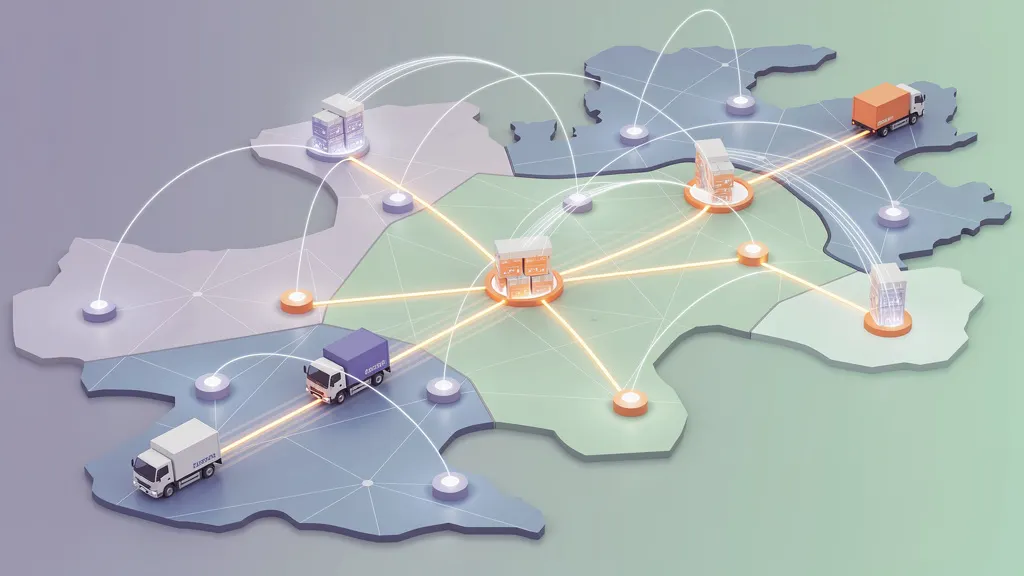
What Does “Full-Stack” AI Actually Mean?
Full-stack AI goes beyond models. A verified Google blog post explains what full-stack development means for AI systems, covering the layers involved from data to deployment. This guide clarifies the term for developers and teams planning practical AI stacks, separating real meaning from marketing shorthand.

Tags
Quick summary
Full-stack AI goes beyond models. A verified Google blog post explains what full-stack development means for AI systems, covering the layers involved from data to deployment. This guide clarifies the term for developers and teams planning practical AI stacks, separating real meaning from marketing shorthand.
What Does “Full-Stack” AI Actually Mean?
For years, "full-stack" meant one thing in software: you could write the frontend, the backend, and the database in your sleep. It was a badge of versatility. Today, the same term is being pulled into the AI world, but it carries a very different weight. A full-stack developer handles layers of code. A full-stack AI practitioner has to handle layers of uncertainty.
The phrase "full-stack AI" has become something of a buzzword, but a post on the Google AI Blog — titled What does “full-stack” AI actually mean? — makes a serious attempt to give it a precise definition. The core idea is that building modern AI is no longer just about training a clever model. It is about designing and operating the entire system around that model: the data pipelines that feed it, the infrastructure that serves it, the evaluation loops that validate it, and the applications that make it useful to humans. This article unpacks that definition and shows you what a minimal, genuinely full-stack AI project looks like in practice.
The Shift From Model-Centric to System-Centric Thinking
A few years ago, the dominant mental model of AI work was linear. You collected a dataset, trained a model, and then deployed it behind an API. The model was the star; everything else was plumbing. Full-stack AI inverts this view. The model becomes one component — an important one, but still just one — inside a larger system that must be continuously built, measured, and repaired.
The Google AI Blog post argues that this expansion is necessary. As models become more capable and more widely used, the constraints that limit real-world impact move outside the model itself. A model with excellent benchmarks is useless if its data is stale, if its serving infrastructure cannot handle traffic, if it produces outputs that violate safety guidelines, or if developers cannot integrate it into their product quickly. Full-stack AI therefore spans at least five layers:
- Data: acquisition, cleaning, labeling, versioning, and monitoring for drift.
- Model development: architecture selection, training, fine-tuning, and evaluation.
- Serving and infrastructure: optimization for latency and cost, scaling, and reliability.
- Application integration: APIs, user interfaces, and product logic.
- Responsible AI: safety filters, interpretability, and human oversight.
None of these layers is optional in a serious deployment. A person who can handle most of them — even at a basic level — is a full-stack AI practitioner.
What a Full-Stack AI System Looks Like
A useful way to visualize full-stack AI is to follow a single user request. Imagine a person typing a question into a web application. Behind that text box is a chain of events:
- The frontend sends the prompt to an application server.
- The server retrieves relevant context from a vector database or a conventional datastore.
- The server constructs a model request, applying safety and formatting rules.
- The inference service (which may run on GPUs or specialized accelerators) runs the model and returns a completion.
- The server validates the output, filters sensitive content, and sends the response back to the browser.
- Logs, performance metrics, and user feedback are collected for ongoing evaluation.
If you can build and operate steps one through five, you are doing full-stack AI. If you can also build step six — the feedback and evaluation loop — you are doing it well.
The Google AI Blog article emphasizes that this breadth is not just about tooling. It is an engineering discipline. Effective full-stack AI teams do not wait until deployment to think about infrastructure. They design data pipelines and evaluation harnesses at the same time they design the model architecture. This is a meaningful departure from the research-style workflow where a notebook and a checkpoint are considered a finished product.
Requirements
To follow the practical example in this article, you will need the following:
- A machine running Linux, macOS, or Windows with Windows Subsystem for Linux (WSL).
- Python 3.10 or newer installed and available on your PATH.
pipand the ability to create virtual environments.
The example uses a small open-source language model and a lightweight vector store, so you do not need a GPU to run it. If you do have a GPU, the same steps will work faster.
The core Python packages we will use:
transformers— for loading and running the language model.fastapianduvicorn— for building and serving the API layer.gradio— for a simple web interface.sentence-transformers— for computing text embeddings used in retrieval.faiss-cpu— for a minimal vector index.datasets— for pulling a small example corpus.
All of these are open-source and well documented, but treating them as your complete production stack would be a mistake. For this article, they serve as a compact stand-in for the larger ecosystem of full-stack AI tools.
Step-by-step Installation
Start by creating a project folder and a virtual environment. This keeps your dependencies isolated from the rest of your system.
mkdir fullstack-ai-demo
cd fullstack-ai-demo
python -m venv venv
Activate the virtual environment. On Linux and macOS, the command is:
source venv/bin/activateOn Windows, with the Command Prompt, it is:
venv\Scripts\activate.batOnce the environment is active, upgrade pip to ensure you have the latest installer:
pip install --upgrade pipNow install the core machine learning and serving libraries. This command installs the Hugging Face ecosystem, FastAPI, and Gradio in one step:
pip install transformers sentence-transformers datasets faiss-cpu fastapi uvicorn gradioIf you have a GPU and want to use CUDA-accelerated FAISS, the faiss-gpu package is available, but the CPU version is sufficient for this demo.
Next, verify that the environment is functional. Run a quick Python command to confirm that the core libraries import correctly:
python -c "import transformers, fastapi, gradio; print('All imports OK')"You should see All imports OK. The environment is now ready.
Usage Examples
The demo that follows is a minimal retrieval-augmented generation (RAG) system. It has three parts: an ingestion script that builds a small index, an API server, and a web interface. This mirrors the layers of a real full-stack AI application.
Step 1: Ingest a Small Corpus
Full-stack AI systems are not a single script. They are a sequence of pipelines. The first step is data ingestion. Create a file called ingest.py:
import faiss
import numpy as np
from sentence_transformers import SentenceTransformer

# Load a small embedding model. In production this would be
# a larger model hosted on dedicated infrastructure.
encoder = SentenceTransformer("all-MiniLM-L6-v2")

# A small corpus of documents. Replace this with a real dataset
# pulled from a database, object storage, or data warehouse.
documents = [
    "FastAPI is a modern web framework for building APIs with Python.",
    "Retrieval-augmented generation combines a retriever with a language model.",
    "A vector database stores embeddings for fast similarity search.",
    "Full-stack AI covers data, training, serving, and application layers.",
    "Evaluation loops help teams detect model degradation over time.",
]

# Encode the documents into vectors.
vectors = encoder.encode(documents)
index = faiss.IndexFlatL2(vectors.shape[1])
index.add(np.array(vectors))

# Save both the index and the documents for later use.
faiss.write_index(index, "docs.index")
with open("documents.txt", "w") as f:
    f.write("\n".join(documents))

print(f"Ingested {len(documents)} documents into the index.")
Run it:
python ingest.pyThis produces two artifacts: docs.index and documents.txt. Notice that a full-stack approach treats data as an artifact with a lifecycle. In a real project, you would also record the model version, the data version, and the timestamp of this ingestion run in metadata.
Step 2: Serve the Model Behind an API
The next layer is the serving and application backend. Create a file called app.py:
import faiss
import numpy as np
from fastapi import FastAPI
from pydantic import BaseModel
from sentence_transformers import SentenceTransformer
from transformers import pipeline

# Load the vector index and the embedding model.
index = faiss.read_index("docs.index")
encoder = SentenceTransformer("all-MiniLM-L6-v2")

# Load a small generative language model.
# In production, this would run on separate inference infrastructure.
generator = pipeline("text2text-generation", model="google/flan-t5-small")

with open("documents.txt") as f:
    documents = f.read().splitlines()

app = FastAPI(title="Full-Stack AI Demo")

class Query(BaseModel):
    question: str
    top_k: int = 3

@app.post("/ask")
def ask(query: Query):
    # Encode the user's question.
    vector = encoder.encode([query.question])

    # Retrieve the most relevant documents.
    distances, indices = index.search(np.array(vector), query.top_k)
    retrieved = [documents[i] for i in indices[0]]

    # Build a prompt that includes the retrieved context.
    context = "\n".join(retrieved)
    prompt = f"Answer the question using only the context.\n\nContext:\n{context}\n\nQuestion: {query.question}\nAnswer:"

    # Generate the answer.
    result = generator(prompt, max_length=100)
    return {"answer": result[0]["generated_text"], "retrieved": retrieved}
Run the API server:
uvicorn app:app --host 0.0.0.0 --port 8000Test the endpoint with curl. This is a useful habit: verify the API layer before building the interface on top of it.
curl -X POST http://localhost:8000/ask \
  -H "Content-Type: application/json" \
  -d '{"question": "What does full-stack AI cover?"}'
You should receive a JSON response containing an answer and the retrieved documents.
Step 3: Add a Web Interface
A model with an API is a backend. Full-stack becomes meaningful when the application layer is included. Create one more file, ui.py:
import gradio as gr
import requests

def ask_question(question):
    response = requests.post(
        "http://localhost:8000/ask",
        json={"question": question},
        timeout=30,
    )
    data = response.json()
    retrieved = "\n".join(data["retrieved"])
    return f"Answer: {data['answer']}\n\nSources:\n{retrieved}"

ui = gr.Interface(
    fn=ask_question,
    inputs=gr.Textbox(label="Your question"),
    outputs=gr.Textbox(label="Answer with sources"),
    title="Full-Stack AI Demo",
)

if __name__ == "__main__":
    ui.launch()
Start the UI in a second terminal:
python ui.pyOpen the URL printed by Gradio and ask a question. You now have a working system with data ingestion, retrieval, generation, an API, and an interface — the rough shape of a full-stack AI application.
The Hidden Seventh Layer: Evaluation and Operations
What we just built is functional, but it is not full-stack in the deeper sense that the Google AI Blog describes. The missing piece is evaluation and operations. A full-stack system is not finished when it works once. It needs to keep working as data changes, as user patterns shift, and as the model is updated.
A minimal evaluation loop for this demo would do the following:
import json
import requests

# A small set of golden questions with expected keywords.
eval_set = [
    {"q": "What is FastAPI?", "expected": ["web framework"]},
    {"q": "What is RAG?", "expected": ["retrieval", "language model"]},
]

def evaluate():
    passed = 0
    for item in eval_set:
        response = requests.post(
            "http://localhost:8000/ask",
            json={"question": item["q"]},
            timeout=30,
        ).json()
        answer = response["answer"].lower()
        if any(keyword in answer for keyword in item["expected"]):
            passed += 1
    print(f"Passed {passed}/{len(eval_set)} evaluation cases")
    return passed / len(eval_set)

score = evaluate()
with open("eval_results.json", "w") as f:
    json.dump({"score": score}, f)
Run it:
python evaluate.pyThis is a tiny example, but the pattern matters. In a real full-stack system, you would add logging, tracing, alerting, cost tracking, and periodic retraining. The model is no longer a one-time artifact; it is a living component under continuous scrutiny.
Challenges of the Full-Stack Mindset
The main challenge in full-stack AI is not learning a single tool. It is learning to move fluidly across abstractions. One hour you are debugging a data leakage issue in a training pipeline. The next hour you are investigating why the inference server has high p99 latency. An hour after that, you are discussing UX design with product stakeholders.
This is cognitively demanding. It also requires a high tolerance for uncertainty. Unlike a conventional web application, an AI system can fail silently. The API returns a 200 status code, the interface renders without errors, but the answer is wrong or subtly biased. Full-stack AI practitioners must therefore build skepticism into their workflows: validate inputs, inspect outputs, and constantly measure whether the system is doing something useful.
There are also organizational limits. No individual can be an expert in every layer — data engineering, distributed systems, model training, and security. The original meaning of "full-stack" was always slightly aspirational, and in AI it is even more so. What the term actually means in practice is broad literacy combined with deep skills in at least one area. You need to know enough about every layer to integrate them, and enough about your core layer to push it forward.
Conclusion
Full-stack AI means taking responsibility for the entire lifecycle of an intelligent system, not just the model weights. As the Google AI Blog post explains, the models themselves are only one layer in a stack that includes data, infrastructure, applications, and evaluation. The days of training a notebook and throwing it over the wall are ending. The teams and individuals who succeed will be those who can think across the whole system.
The demo in this article — a retrieval pipeline, a serving layer, an API, a web interface, and an evaluation script — is a small but honest representation of that stack. Run it, break it, instrument it, and then ask what else the system needs to survive in the real world. The answer to that question is what full-stack AI actually means.