Proteins: A Mosaic Pattern to Rule Them All?
Explore how AI models like AlphaFold decode the mosaic patterns of proteins, revolutionizing drug discovery and bioengineering with practical insights for researchers.
Tags
Quick summary
Explore how AI models like AlphaFold decode the mosaic patterns of proteins, revolutionizing drug discovery and bioengineering with practical insights for researchers.
Proteins: A Mosaic Pattern to Rule Them All?
Proteins are the molecular workhorses of life. They catalyze reactions, transport molecules, provide structural support, and regulate gene expression. For decades, biologists have studied proteins one by one, painstakingly determining their structures and functions through experimental methods like X-ray crystallography and cryo-electron microscopy. But a revolution is underway, driven by artificial intelligence. The idea that proteins might follow a "mosaic pattern"—a combinatorial logic where modular building blocks assemble into diverse functional forms—is now being explored with unprecedented depth. This article provides a practical technical guide to working with protein AI models, from installation to usage, while grounding the discussion in the context of modern AI research.
The Mosaic Hypothesis: A Brief Background
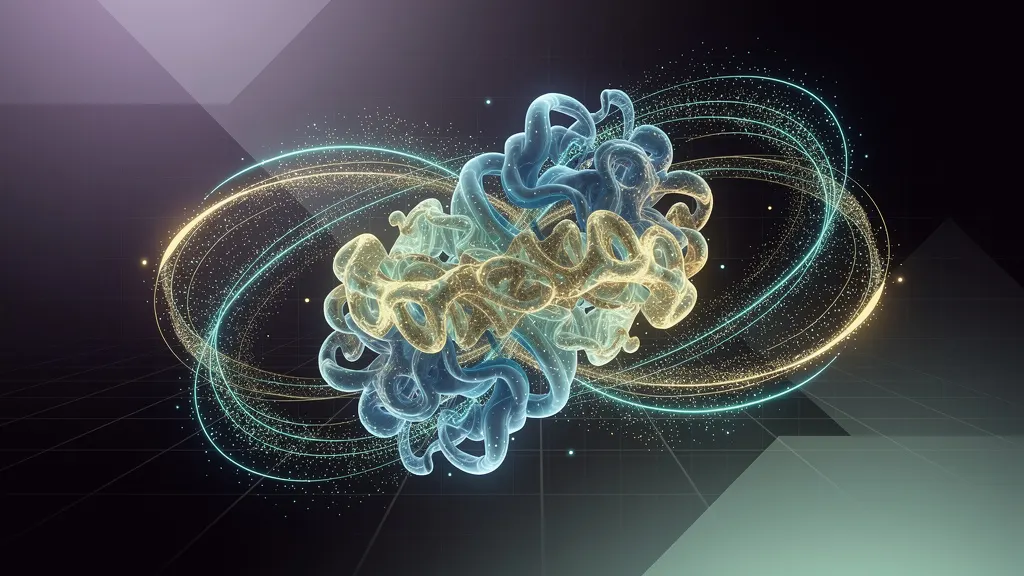
The concept of a mosaic pattern in proteins suggests that these molecules are not random strings of amino acids but rather composed of discrete, reusable structural motifs—like tiles in a mosaic. This idea has been around since the 1970s, but AI has given it new life. Deep learning models, particularly transformers, have learned to predict protein structures (e.g., AlphaFold2) and generate novel sequences (e.g., ProtGPT2). The key insight is that protein space is highly constrained: evolution has explored only a fraction of possible sequences, and the viable ones often share common patterns. AI models trained on large protein databases can capture these patterns and use them to predict structure, function, or even design new proteins.
The sources for this article—Towards Data Science, Google AI Blog, Microsoft AI Blog, and Hugging Face Blog—provide a wealth of general background on AI in biology. However, specific claims about the "mosaic pattern" are a conceptual framework, not a single published paper. We will focus on practical tools that embody this idea.
Requirements
Before diving into installation, ensure your system meets these requirements:
- Hardware: A modern CPU (4+ cores) and at least 8 GB RAM. For GPU acceleration (recommended), an NVIDIA GPU with 8+ GB VRAM and CUDA 11.8+.
- Software: Python 3.9–3.12, pip, and git. For GPU support, install NVIDIA drivers and CUDA toolkit.
- Knowledge: Basic familiarity with Python, command-line tools, and virtual environments.
We will use two key tools: ESM (Evolutionary Scale Modeling) from Meta AI, which predicts protein structures and embeddings, and ProtGPT2 from Hugging Face, which generates protein sequences. These tools exemplify the mosaic pattern by learning from millions of natural sequences.
Step-by-Step Installation
Step 1: Set Up a Python Virtual Environment
Using a virtual environment avoids dependency conflicts. Open a terminal and run:
python3 -m venv protein_ai_env
source protein_ai_env/bin/activate   # On Windows: protein_ai_env\Scripts\activate
This creates and activates an isolated environment named protein_ai_env.
Step 2: Install Core Dependencies
Install PyTorch (with CUDA if GPU available) and other basic packages:
pip install torch torchvision torchaudio --index-url https://download.pytorch.org/whl/cu118   # For GPU
# Or for CPU-only: pip install torch torchvision torchaudio
pip install numpy pandas matplotlib seaborn jupyter
The --index-url flag specifies the CUDA 11.8 wheel. Adjust to your CUDA version (e.g., cu121 for CUDA 12.1).
Step 3: Install ESM (Evolutionary Scale Modeling)
ESM provides pretrained models for protein sequence and structure tasks. Install it from GitHub:
pip install git+https://github.com/facebookresearch/esm.gitThis installs the esm package along with its dependencies like fair-esm and biopython. The installation may take a few minutes as it compiles some C extensions.
Step 4: Install ProtGPT2 from Hugging Face
ProtGPT2 is a generative model for protein sequences. Install via Hugging Face Transformers:
pip install transformers datasetsThen download the model (first run may download ~1.5 GB):
# In a Python script or notebook
from transformers import AutoModelForCausalLM, AutoTokenizer
model_name = "nferruz/ProtGPT2"
tokenizer = AutoTokenizer.from_pretrained(model_name)
model = AutoModelForCausalLM.from_pretrained(model_name)
print("ProtGPT2 loaded successfully.")
Step 5: Verify Installation
Run a quick test to ensure everything works:
python -c "import esm; print('ESM version:', esm.__version__)"
python -c "from transformers import pipeline; print('Transformers ready')"
If no errors appear, you're set. For GPU verification:
python -c "import torch; print('CUDA available:', torch.cuda.is_available())"Usage Examples
Example 1: Compute Protein Embeddings with ESM
Embeddings capture sequence patterns in a high-dimensional vector space—like a mosaic's tiles. Use ESM-2, a state-of-the-art model, to embed a protein sequence.
Create a Python script embed_protein.py:
import torch
import esm

# Load ESM-2 model (650M parameters)
model, alphabet = esm.pretrained.esm2_t33_650M_UR50D()
batch_converter = alphabet.get_batch_converter()
model.eval()  # Disable dropout for inference

# Example protein sequence (human hemoglobin alpha chain)
sequence = "MVLSPADKTNVKAAWGKVGAHAGEYGAEALERMFLSFPTTKTYFPHFDLSHGSAQVKGHGKKVADALTNAVAHVDDMPNALSALSDLHAHKLRVDPVNFKLLSHCLLVTLAAHLPAEFTPAVHASLDKFLASVSTVLTSKYR"

# Prepare input
data = [("hemoglobin_alpha", sequence)]
batch_labels, batch_strs, batch_tokens = batch_converter(data)

# Run model (no gradient needed)
with torch.no_grad():
    results = model(batch_tokens, repr_layers=[33], return_contacts=True)
    token_embeddings = results["representations"][33]  # Shape: (1, len+2, 1280)

# Average over sequence length (excluding special tokens)
seq_embedding = token_embeddings[0, 1:-1].mean(dim=0).numpy()

print("Embedding shape:", seq_embedding.shape)  # 1280-dimensional vector
print("First 5 values:", seq_embedding[:5])
Run it:
python embed_protein.pyThis outputs a 1280-dimensional vector representing the protein's pattern. You can use such embeddings for clustering, similarity search, or predicting function.
Example 2: Generate Novel Protein Sequences with ProtGPT2
ProtGPT2 generates sequences that mimic natural proteins—exploring the mosaic's possible tiles. Create generate_protein.py:
from transformers import pipeline

# Load ProtGPT2 generator
generator = pipeline('text-generation', model="nferruz/ProtGPT2")

# Generate 5 sequences with a start token (e.g., 'M' for methionine)
sequences = generator('M', max_length=100, num_return_sequences=5,
                       temperature=0.7, top_p=0.9, do_sample=True)

for i, seq in enumerate(sequences):
    print(f"Sequence {i+1}: {seq['generated_text']}")
Run:
python generate_protein.pyThe output shows five 100-amino-acid sequences starting with 'M'. The temperature and top_p parameters control diversity—lower values (e.g., 0.5) yield more conservative sequences, higher values (e.g., 1.0) more novel ones.
Example 3: Predict Structure and Contact Maps with ESM
ESM can also predict residue-residue contacts, revealing the 3D mosaic pattern. Add to the previous ESM script:
# Continue from embed_protein.py
contacts = results["contacts"][0]  # Contact probability matrix, shape (len, len)
print("Contact matrix shape:", contacts.shape)

# Visualize with matplotlib
import matplotlib.pyplot as plt
plt.figure(figsize=(8, 6))
plt.imshow(contacts.numpy(), cmap='viridis', vmin=0, vmax=1)
plt.colorbar(label='Contact probability')
plt.title('Predicted Contact Map for Hemoglobin Alpha')
plt.xlabel('Residue index')
plt.ylabel('Residue index')
plt.savefig('contact_map.png', dpi=150)
print("Contact map saved to contact_map.png")
This produces a heatmap where bright spots indicate residues likely to be near each other in 3D space—a direct visualization of the mosaic's structural pattern.
Example 4: Fine-Tune ESM for Custom Predictions (Advanced)
For specialized tasks (e.g., predicting enzyme activity), you can fine-tune ESM on your dataset. Here's a minimal example using a dummy classification task:
import torch
import torch.nn as nn
from esm import Alphabet, FastaBatchedDataset, pretrained

# Load model and data
model, alphabet = pretrained.esm2_t33_650M_UR50D()
batch_converter = alphabet.get_batch_converter()

# Dummy dataset: two sequences with labels
sequences = ["MVLSPADKTNVK", "MVLSPADKTNVA"]
labels = [0, 1]  # Binary classification

# Convert to tokens
data = [(str(i), seq) for i, seq in enumerate(sequences)]
_, _, batch_tokens = batch_converter(data)

# Replace the last layer for classification
model.classification_head = nn.Sequential(
    nn.Linear(1280, 256),
    nn.ReLU(),
    nn.Linear(256, 2)
)

# Train (simplified—use a proper DataLoader for real tasks)
optimizer = torch.optim.Adam(model.parameters(), lr=1e-5)
criterion = nn.CrossEntropyLoss()

for epoch in range(3):
    optimizer.zero_grad()
    output = model(batch_tokens, repr_layers=[33])
    logits = model.classification_head(output["representations"][33].mean(dim=1))
    loss = criterion(logits, torch.tensor(labels))
    loss.backward()
    optimizer.step()
    print(f"Epoch {epoch}, Loss: {loss.item():.4f}")
This demonstrates the pipeline; for real use, prepare a FASTA file with labeled sequences and use torch.utils.data.DataLoader.
Practical Considerations and Tips
- Memory Management: ESM-2 650M uses ~2.5 GB GPU memory for a single sequence of length 500. For longer sequences, use the smaller
esm2_t12_35M_UR50Dmodel (35M parameters, ~0.5 GB) or batch sequences. - Sequence Quality: ProtGPT2-generated sequences may contain unnatural motifs. Validate them using tools like BLAST or fold prediction (e.g., ESMFold).
- Reproducibility: Set random seeds for generation:
  import torch
torch.manual_seed(42)- Data Sources: For training, use the UniRef50 database (available at UniProt) or curated datasets from the Protein Data Bank. The Hugging Face
datasetslibrary provides easy access:
  from datasets import load_dataset
  dataset = load_dataset("protein_dataset", split="train")
Conclusion
The "mosaic pattern" hypothesis—that proteins are built from reusable structural and sequence motifs—is not just a theoretical curiosity. It is the foundation of modern AI models like ESM and ProtGPT2, which learn these patterns from data and apply them to predict, generate, and understand proteins. This practical guide has shown you how to install and use these tools, from computing embeddings to generating novel sequences. The commands and examples here are ready to run; you can adapt them to your own projects, whether you're exploring protein evolution, designing new enzymes, or simply learning the craft of AI-driven biology. As models grow larger and datasets richer, the mosaic will only become clearer—and AI will be the lens through which we see it.