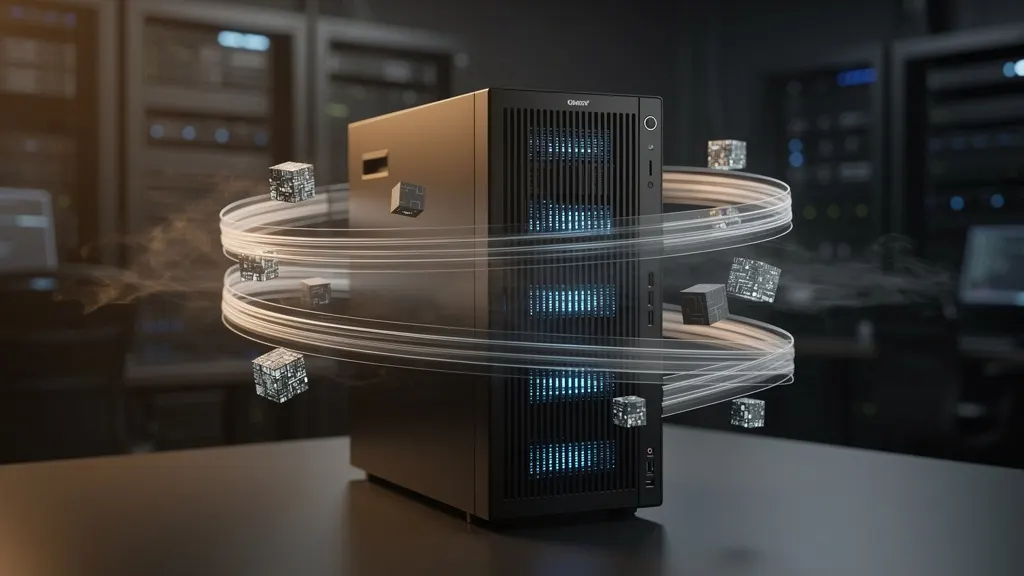
Mistral's Latest Updates: Powering Local Models with New Efficiency and Scale
Mistral AI has rolled out significant upgrades to its local model lineup, including improved inference speed, reduced memory footprint, and enhanced multilingual support. These updates make high-performance AI more accessible for on-premise deployment and edge computing, solidifying Mistral's position as a leader in local-first artificial intelligence.
Tags
Quick summary
Mistral AI has rolled out significant upgrades to its local model lineup, including improved inference speed, reduced memory footprint, and enhanced multilingual support. These updates make high-performance AI more accessible for on-premise deployment and edge computing, solidifying Mistral's position as a leader in local-first artificial intelligence.
Mistral's Latest Updates: Powering Local Models with New Efficiency and Scale
The landscape of large language models has shifted dramatically. While cloud-based APIs remain the default for many enterprise workloads, a powerful counter-movement has been gaining momentum: running state-of-the-art models directly on your own hardware. At the center of this shift is Mistral, a French AI lab that has consistently pushed the boundaries of what is possible with open-weight models. Their latest updates—announced across their official news channels and widely discussed within communities that track Hugging Face and Ollama—signal a clear direction: efficiency is no longer a compromise, and scale is no longer reserved for hyperscale data centers.
This article explores the practical implications of Mistral's recent trajectory. We will move beyond the marketing buzz and dive into the technical reality of deploying these models locally. You will learn not just *what* has changed, but *how* to leverage it. From setting up a local runtime environment to pulling the latest quantized checkpoints and running inference with minimal latency, this guide is designed for developers, researchers, and tinkerers who want to harness the power of Mistral's architecture on their own machines.
The New Paradigm: Efficiency Meets Scale
Mistral's core philosophy has always been about architectural efficiency. Unlike some competitors who rely on sheer parameter count, Mistral's models are designed with intelligent mechanisms like sliding-window attention and Mixture-of-Experts (MoE). This focus yields models that are not only smaller in memory footprint but also significantly faster at inference time.
The latest updates from Mistral reinforce this principle. We are seeing a push toward models that offer GPT-4-class reasoning capabilities in packages that can fit into a single consumer-grade GPU, and sometimes even run on CPU with acceptable speed. The term "local model" has evolved from a toy demo into a viable production alternative for privacy-sensitive applications.
This shift is powered by a vibrant ecosystem. Hugging Face continues to be the central hub for hosting and sharing these open-weight models, providing the infrastructure for versioning, evaluation, and community contributions. Simultaneously, tools like Ollama have emerged to lower the barrier of entry, wrapping complex model runtimes into a simple `ollama run` command. The combination of Mistral's efficient architectures, Hugging Face's distribution network, and Ollama's user experience is what makes local AI genuinely accessible today.
Requirements
Before we begin, it is essential to understand the hardware and software prerequisites for running Mistral models locally. The requirements vary depending on the model size—a 7B parameter model has very different needs than a 70B or a MoE model like Mixtral 8x7B.
**Hardware Minimums (for 7B-8B class models):**
- **CPU:** A modern quad-core processor (Intel i5/AMD Ryzen 5 or better) is sufficient for basic inference, especially with 4-bit quantization.
- **RAM:** 16 GB of system RAM is the practical minimum. For CPU-only inference, you will want 32 GB to avoid swapping.
- **GPU (Recommended):** A GPU with at least 8 GB of VRAM (e.g., NVIDIA RTX 3070/4080, or A100 for larger models). NVIDIA GPUs are preferred due to CUDA support, which is deeply integrated into most inference frameworks.
- **Storage:** At least 10-30 GB of free disk space for model weights (quantized models are around 4-6 GB, full precision can exceed 15 GB).
**Hardware for MoE Models (Mixtral 8x7B):**
- While Mixtral is a 47B parameter model, it only activates ~13B parameters per token. However, you still need to load all 47B weights into memory. This means you need a single GPU with 48 GB VRAM (like an A6000 or a Mac Studio with high unified memory) or, more practically, a system with 64+ GB of RAM for CPU offloading.
**Software Stack:**
- **Operating System:** Linux (Ubuntu 22.04+ is ideal), macOS (for Metal-accelerated Apple Silicon), or Windows with WSL2.
- **Python:** Version 3.9 or higher for Hugging Face Transformers.
- **Package Managers:** `pip` and `git`.
- **Runtime.** We will use Ollama for the simplest path, and Hugging Face `transformers` for more granular control.
Step-by-Step Installation
Let us set up a complete local environment. We will cover two primary methods: the Ollama route for maximum convenience and the Hugging Face route for maximum control.
#### 1. Installing Ollama
Ollama is currently the most straightforward way to run large language models locally. It handles model downloads, quantization, and the low-level C++/CUDA runtime automatically.
First, install Ollama by running the provided installation script. This script detects your OS and installs the appropriate binary.
curl -fsSL https://ollama.com/install.sh | shOnce installed, verify the installation and check the version to ensure everything is in order.
ollama --versionThe service should be running in the background. If not, you can start it manually.
service ollama start#### 2. Setting Up the Hugging Face Ecosystem
For developers who want to fine-tune models, run specific tokenizers, or integrate with Python pipelines, the Hugging Face ecosystem is non-negotiable.
Create a virtual environment to keep your Python dependencies isolated.
python3 -m venv mistral-env
source mistral-env/bin/activate
Now, install the core libraries: `transformers` for model loading and inference, `accelerate` for efficient multi-GPU and CPU offloading, and `bitsandbytes` for 4-bit quantization support.
pip install --upgrade pip
pip install transformers accelerate bitsandbytes torch
**Note:** If you are on a Mac with Apple Silicon, install the Metal-accelerated PyTorch version as per PyTorch's official installation guide to get significantly better performance.
#### 3. Pulling Mistral Models with Ollama
Ollama simplifies the process of downloading and managing model weights. It pulls models from its registry, which mirrors the official weights hosted on Hugging Face and Mistral's own channels.
To fetch the latest generic Mistral model, use the `pull` command:
ollama pull mistralThis downloads a 7B parameter model quantized to 4-bit (QLoRA style quantization), which requires approximately 4.1 GB of disk space. For the more advanced Mixtral MoE model, run:
ollama pull mixtral:8x7bThis model is significantly larger and requires substantial memory to run effectively.
Usage Examples
Now that the environment is configured, let's explore concrete usage scenarios. We will cover both interactive chat via Ollama and programmatic access via Python.
#### 1. Interactive Chat with Ollama
The most immediate way to test Mistral models is through Ollama's built-in chat interface. Start a conversation with the Mistral model using:
ollama run mistralYou should see a prompt appear. You can now ask questions, request code generation, or test reasoning capabilities. For example, type:
>>> Write a Python function to calculate the Fibonacci sequence.The model will stream its response token-by-token, showcasing inference speed. To exit, type `/bye`.
You can also pass a one-shot prompt directly without entering the interactive mode:
ollama run mistral "Explain the concept of MoE in AI in one paragraph."This is perfect for scripting and quick tests.
#### 2. Using the OpenAI-Compatible API
A major advantage of the latest tooling is API compatibility. Ollama exposes an OpenAI-compatible REST API, allowing you to swap Mistral models into existing applications with minimal code changes.
First, ensure the Ollama service is running. Then, make a request using `curl`.
curl http://localhost:11434/v1/chat/completions \
  -H "Content-Type: application/json" \
  -d '{
    "model": "mistral",
    "messages": [
      {"role": "user", "content": "Explain the principle of sliding-window attention in simple terms."}
    ]
  }'
The response will contain the generated reply in a standard JSON structure, identical to what you would expect from commercial APIs.
#### 3. Programmatic Inference with Hugging Face Transformers
For fine-grained control—like adjusting quantization parameters or inspecting token probabilities—use the Hugging Face `transformers` library. This method requires you to be logged into your Hugging Face account if the model is gated.
If you haven't already, authenticate with Hugging Face Hub:
huggingface-cli loginYou will need to paste an access token (with `read` permissions) that you create in your Hugging Face account settings.
The following Python script loads the Mistral-7B model in 4-bit mode, significantly reducing memory usage.
from transformers import AutoTokenizer, AutoModelForCausalLM, pipeline
import torch

# Mistral's Latest Updates: Powering Local Models with New Efficiency and Scale
model_name = "mistralai/Mistral-7B-Instruct-v0.3"

# Load tokenizer
tokenizer = AutoTokenizer.from_pretrained(model_name)

# Load model with 4-bit quantization for memory efficiency
# This requires bitsandbytes installed and a supported GPU.
model = AutoModelForCausalLM.from_pretrained(
    model_name,
    load_in_4bit=True,  # Use 4-bit quantized weights
    device_map="auto",  # Automatically distribute across available devices
    torch_dtype=torch.float16
)

# Create a text generation pipeline
pipe = pipeline(
    "text-generation",
    model=model,
    tokenizer=tokenizer,
    max_new_tokens=256,
    do_sample=True,
    temperature=0.7,
    top_p=0.95
)

# Generate a response
prompt = "Write a short email to a colleague about project delays."
outputs = pipe(prompt)
print(outputs[0]["generated_text"])
**Memory Optimization:** If you do not have a GPU, set `load_in_4bit=True` and use `device_map="cpu"`. You will also need to install `accelerate` and set the environment variable `PYTORCH_ENABLE_MPS_FALLBACK=1` if on Apple Silicon.
#### 4. Offloading Layers for Large Models
Running a model like Mixtral on a machine with limited VRAM but ample system RAM requires layer offloading. Hugging Face `accelerate` makes this seamless.
The script below automatically loads the model, offloading the layers that do not fit into VRAM to the CPU RAM.
from transformers import AutoTokenizer, AutoModelForCausalLM
import torch

model_id = "mistralai/Mixtral-8x7B-Instruct-v0.1"

tokenizer = AutoTokenizer.from_pretrained(model_id)

model = AutoModelForCausalLM.from_pretrained(
    model_id,
    device_map="auto",  # Dynamically place layers on GPU and CPU
    torch_dtype=torch.float16,  # Use half precision
    offload_folder="offload"  # Store offloaded weights in this directory
)

input_text = "What is the largest prime number under 100?"
inputs = tokenizer(input_text, return_tensors="pt")

with torch.no_grad():
    outputs = model.generate(**inputs, max_new_tokens=128)

print(tokenizer.decode(outputs[0], skip_special_tokens=True))
This will be slower than pure GPU inference due to the CPU-GPU communication overhead, but it enables running models that would otherwise be impossible on your hardware.
Context and Caching: The Hidden Efficiency
One of the most impactful backend updates in the local AI ecosystem relates to performance enhancement, notably prefix caching. Tools like Ollama have implemented sophisticated caching mechanisms. If you ask a follow-up question in a chat session, the system can reuse the key-value (KV) cache from the previous exchange, avoiding redundant computation. This reduces latency dramatically for multi-turn conversations.
Mistral's sliding-window attention complements this: instead of re-processing the entire history, it only attends to the most recent tokens within a fixed window. This architectural choice directly reduces memory overhead and speeds up generation, making long context windows feasible on consumer hardware.
When using Hugging Face, you can further optimize this by setting up the tokenizer to use a flash attention backend if your hardware supports it:
pipe = pipeline(
    "text-generation",
    model=model,
    tokenizer=tokenizer,
    model_kwargs={"use_flash_attention_2": True},
)
Flash Attention is a memory-efficient attention algorithm that is now the standard for inference. Most recent versions of `transformers` include it, and enabling it can reduce memory usage by up to 50% while increasing speed.
The Future of Local Inference
The trajectory of Mistral's updates, mirrored by progress in the open-source community on platforms like Hugging Face and orchestrated by tools like Ollama, points to a future where local models are the default for many workflows.
We are witnessing the convergence of three trends:
1. **Architectural Innovation:** Mistral's MoE models demonstrate that you can build larger "effective" models without proportional compute costs. The sparsity of MoE means that while the total parameter count grows, the active parameters during inference remain manageable.
2. **Quantization Advances:** The ability to run 4-bit and even 3-bit quantized models with minimal quality loss is a game-changer. The `bitsandbytes` library integrated with Hugging Face and the quantization used by Ollama have made it possible to run models that were previously confined to data centers on a gaming laptop.
3. **Ecosystem Maturity:** The pipeline from `transformers` to ONNX to specialized runtimes like `llama.cpp` (which Ollama builds upon) is now mature. Developers can choose their desired abstraction level—from high-level chat CLIs to low-level C++ bindings.
The new efficiency and scale are not just about making models smaller; they are also about making them *smarter* for their size. Mistral's continuous updates focus on achieving frontier-level reasoning and coding capability in these constrained environments. As the company releases more updates, and as the community pushes these models to their limits, the barrier to entry for high-quality AI will continue to fall.
Conclusion
Mistral has firmly established itself as a leader in the open-weight model movement, proving that efficiency and scale are not mutually exclusive. The latest updates reflect a strategic focus on delivering high-performance models that can run locally, giving developers complete control over their data and infrastructure.
By setting up Ollama, we reduced the installation to a single command and immediately gained access to a robust chat interface and a Python-compatible API. By delving into Hugging Face Transformers, we unlocked the full power of quantization and custom generation pipelines, essential for production and research use cases.
The practical steps and examples covered in this article will get you started, but they are just the beginning. Experiment with different quantization levels, explore fine-tuning on your own datasets, and monitor the Mistral AI News and Hugging Face blog for the latest checkpoints. The era of local AI has arrived, and Mistral is one of its primary drivers.
Sources
FAQ
What is this article about?
This article covers “Mistral's Latest Updates: Powering Local Models with New Efficiency and Scale” in the Local models category. Mistral AI has rolled out significant upgrades to its local model lineup, including improved inference speed, reduced memory footprint, and enhanced multilingual support. These updates make high-performance AI more accessible for on-premise deployment and edge computing, solidifying Mistral's position as a leader in local-first artificial intelligence.
Who is this useful for?
It is useful for readers who want a practical understanding of AI tools, models, and workflows.
What should I do next?
Read the article, review the listed sources, and test the most relevant ideas in your own workflow.