Agentic AI vs Generative AI: Understanding the Shift from Creation to Action
Agentic AI represents a paradigm shift from generative models that create content to autonomous agents that perceive, reason, and act. This article explores how combining both approaches enables intelligent workflows, with practical examples in automation and decision-making.
Tags
Quick summary
Agentic AI represents a paradigm shift from generative models that create content to autonomous agents that perceive, reason, and act. This article explores how combining both approaches enables intelligent workflows, with practical examples in automation and decision-making.
Agentic AI vs Generative AI: Understanding the Shift from Creation to Action
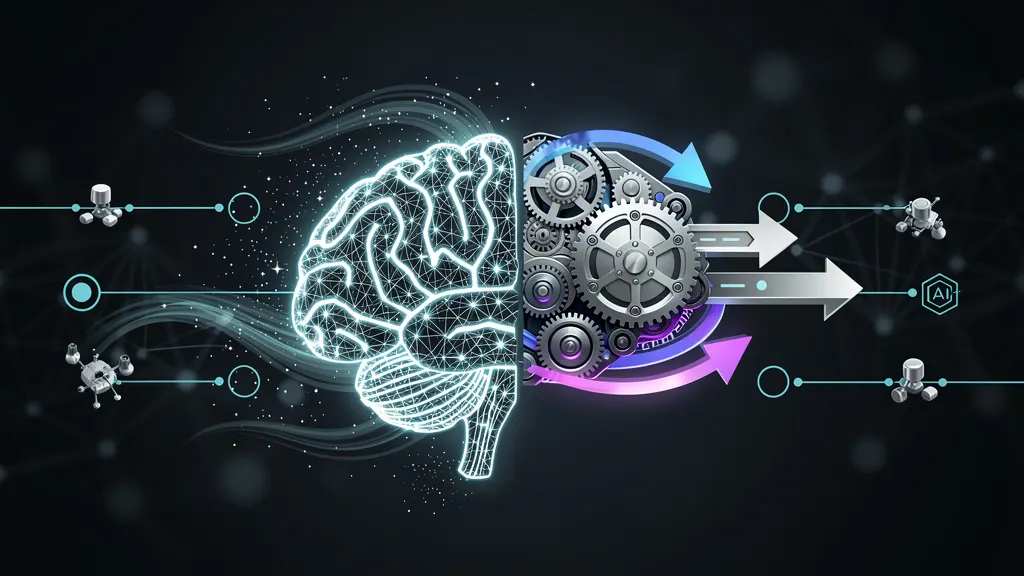
The artificial intelligence landscape is undergoing a profound transformation. For the past two years, the conversation has been dominated by **generative AI**—models that create text, images, code, and music from simple prompts. But a new paradigm is emerging: **agentic AI**—systems that not only generate content but also act on it, making decisions, executing multi-step workflows, and interacting with the world.
This article explores the fundamental differences between generative and agentic AI, why the shift matters, and how you can start building agentic systems today with concrete, hands-on examples.
What is Generative AI?
Generative AI refers to models that produce new content based on patterns learned from vast datasets. These models—like GPT-4, DALL·E, and Claude—excel at:
- **Text generation**: Writing articles, code, poetry, or summaries.
- **Image creation**: Producing visuals from textual descriptions.
- **Audio synthesis**: Generating music or speech.
- **Data augmentation**: Creating synthetic datasets.
Generative AI is **reactive**: it responds to a prompt and produces an output. It does not inherently plan, reason about long-term goals, or interact with external systems. The output is the end of the process.
What is Agentic AI?
Agentic AI represents a step beyond generation. An AI agent is a system that:
- **Perceives** its environment (via APIs, databases, sensors, or user input).
- **Reasons** about goals and sub-tasks.
- **Acts** by executing commands, calling tools, or modifying state.
- **Learns** from feedback to improve future actions.
Agents can break down a complex goal like "Plan a team offsite in San Francisco" into sub-tasks: search for venues, check availability, compare prices, book flights, and send calendar invites. Each step involves decisions and interactions with external systems.
The key distinction: **generative AI creates; agentic AI executes.**
Key Differences at a Glance
| Dimension | Generative AI | Agentic AI | |-----------|---------------|------------| | **Primary output** | Content (text, image, code) | Actions (API calls, file operations, decisions) | | **Interaction style** | Single turn (prompt → response) | Multi-turn, goal-oriented loops | | **State management** | Stateless (usually) | Stateful (tracks progress, memory) | | **Tool use** | Rare (except in some prompt-based tools) | Core capability (calls external APIs, databases) | | **Error recovery** | Limited (regenerates output) | Proactive (retries, adjusts strategy) | | **Autonomy level** | Low (human-in-the-loop typical) | Medium to high (can operate independently) |
Why the Shift Matters
The move from generative to agentic AI is driven by practical needs:
- **Automation**: Businesses want AI that not only drafts an email but also sends it, schedules follow-ups, and updates CRM records.
- **Complex workflows**: Tasks like "Deploy a cloud server and configure a firewall" require multiple steps, conditional logic, and error handling—beyond what a single generative call can do.
- **Reliability**: Agents can verify outputs, retry failed operations, and escalate issues, reducing the need for constant human oversight.
Microsoft AI Blog has highlighted how agents are being integrated into productivity tools, while Anthropic News has discussed the safety implications of giving models more autonomy. NVIDIA AI Blog has covered the infrastructure needed to run agentic systems at scale.
Requirements for Building an Agentic System
To follow along with the examples below, you'll need:
- **Python 3.9+** installed on your system.
- A **code editor** (VS Code recommended).
- An **OpenAI API key** (or access to any LLM provider with function calling support).
- Basic familiarity with **command-line interfaces** and **Python virtual environments**.
We'll build a simple agent that can perform file operations and web searches based on a user's goal.
Step-by-Step Installation
1. Set up a Python virtual environment
Isolate dependencies to avoid conflicts with other projects.
python -m venv agent-env
source agent-env/bin/activate  # On Windows: agent-env\Scripts\activate
2. Install required packages
We'll use the `openai` library for LLM access and `requests` for HTTP calls.
pip install openai requests python-dotenv- `openai`: Official Python client for OpenAI's API.
- `requests`: For making HTTP requests to external services.
- `python-dotenv`: Loads environment variables from a `.env` file.
3. Create a `.env` file for your API key
Store sensitive credentials securely.
echo "OPENAI_API_KEY=your_key_here" > .envReplace `your_key_here` with your actual OpenAI API key. Never commit this file to version control.
4. Write the core agent script
Create a file named `agent.py` with the following structure:
import os
import json
import requests
from openai import OpenAI
from dotenv import load_dotenv

load_dotenv()
client = OpenAI(api_key=os.getenv("OPENAI_API_KEY"))

# Define tools the agent can use
tools = [
    {
        "type": "function",
        "function": {
            "name": "read_file",
            "description": "Read the contents of a text file",
            "parameters": {
                "type": "object",
                "properties": {
                    "filepath": {"type": "string", "description": "Path to the file"}
                },
                "required": ["filepath"]
            }
        }
    },
    {
        "type": "function",
        "function": {
            "name": "write_file",
            "description": "Write content to a text file",
            "parameters": {
                "type": "object",
                "properties": {
                    "filepath": {"type": "string", "description": "Path to the file"},
                    "content": {"type": "string", "description": "Content to write"}
                },
                "required": ["filepath", "content"]
            }
        }
    },
    {
        "type": "function",
        "function": {
            "name": "web_search",
            "description": "Search the web for information",
            "parameters": {
                "type": "object",
                "properties": {
                    "query": {"type": "string", "description": "Search query"}
                },
                "required": ["query"]
            }
        }
    }
]

# Tool implementations
def read_file(filepath):
    with open(filepath, 'r') as f:
        return f.read()

def write_file(filepath, content):
    with open(filepath, 'w') as f:
        f.write(content)
    return f"Written to {filepath}"

def web_search(query):
    # Simplified search using DuckDuckGo (no API key needed)
    url = f"https://api.duckduckgo.com/?q={query}&format=json&no_html=1"
    response = requests.get(url)
    data = response.json()
    # Extract text from the first few results
    results = data.get("AbstractText", "") or data.get("RelatedTopics", [{}])[0].get("Text", "No results found")
    return results[:500]  # Truncate for brevity

# Agent loop
def run_agent(user_goal):
    messages = [{"role": "user", "content": user_goal}]

    while True:
        response = client.chat.completions.create(
            model="gpt-4o-mini",
            messages=messages,
            tools=tools,
            tool_choice="auto"
        )

        message = response.choices[0].message
        messages.append(message)

        if message.tool_calls:
            for tool_call in message.tool_calls:
                func_name = tool_call.function.name
                func_args = json.loads(tool_call.function.arguments)

                if func_name == "read_file":
                    result = read_file(**func_args)
                elif func_name == "write_file":
                    result = write_file(**func_args)
                elif func_name == "web_search":
                    result = web_search(**func_args)
                else:
                    result = f"Unknown function: {func_name}"

                messages.append({
                    "role": "tool",
                    "tool_call_id": tool_call.id,
                    "content": str(result)
                })
        else:
            # No tool calls → final answer
            return message.content

# Example usage
if __name__ == "__main__":
    goal = input("Enter your goal: ")
    result = run_agent(goal)
    print("\nAgent response:\n", result)
This script defines three tools (`read_file`, `write_file`, `web_search`) and a loop that lets the LLM decide which tools to call, interpret results, and continue until it produces a final answer.
Usage Examples
Example 1: File Summarization
Run the agent and give it a goal that involves reading a file:
python agent.pyWhen prompted, enter:
Read the file notes.txt, summarize it, and save the summary to summary.txtThe agent will: 1. Call `read_file("notes.txt")` to get the contents. 2. Generate a summary using its own language capabilities. 3. Call `write_file("summary.txt", summary_content)` to save it.
Example 2: Research and Report
Enter a goal like:
Search for the latest news about AI agents in 2025, then write a brief report to report.txtThe agent will: 1. Call `web_search("AI agents 2025 news")` to retrieve information. 2. Compose a report based on the search results. 3. Save the report using `write_file`.
Example 3: Multi-step workflow
Read todo.txt, search for the top item in that list, and save the search results to research.txtThis demonstrates how the agent chains multiple tool calls: first reading a file, then using its content as a search query, and finally writing the output.
How Agentic AI Differs in Practice
From a developer's perspective, the shift from generative to agentic AI changes how you design systems:
- **Generative AI**: You call an API once, get a response, and present it to the user. The model does not maintain state or remember previous interactions.
- **Agentic AI**: You implement a loop that passes messages back and forth, maintains a history of tool calls and results, and allows the model to reason about what to do next.
The agent loop in our example is a simplified version of the **ReAct** (Reasoning + Acting) pattern, which is widely used in production systems. More advanced frameworks like LangChain, AutoGPT, or Microsoft's Semantic Kernel build on this pattern with additional features like memory, planning, and error recovery.
Challenges and Considerations
Reliability
Agents can make mistakes, such as calling the wrong tool or misinterpreting results. Robust error handling and human-in-the-loop validation are critical.
Latency
Multi-step reasoning takes time. Each tool call adds network round-trips and LLM inference time. Optimizing for speed requires careful design.
Safety
As Anthropic News has noted, giving models autonomy introduces risks. Agents might execute unintended actions (e.g., deleting files or making unauthorized API calls). Always sandbox agent permissions and validate tool calls.
Cost
Each step in an agent loop consumes tokens. A single goal might trigger 5–10 LLM calls, increasing costs compared to a single generative query.
The Future: From Tools to Autonomous Systems
The trajectory is clear: generative AI is becoming a component within larger agentic systems. Instead of asking "Write me a poem," users will say "Plan my daughter's birthday party—send invitations, order cake, book a venue, and set reminders."
Companies like OpenAI, Microsoft, and Anthropic are investing heavily in agent infrastructure. The NVIDIA AI Blog has discussed how GPU-accelerated inference enables agents to run complex reasoning tasks faster, while Microsoft AI Blog has showcased agents integrated into Office 365 and Azure.
Conclusion
Generative AI unlocked the ability to create content at scale. Agentic AI builds on that foundation by enabling systems to act—to plan, execute, and adapt in pursuit of real-world goals.
The shift from creation to action is not just a technical evolution; it's a change in how we think about AI's role. Generative AI is a tool you wield. Agentic AI is a collaborator that gets things done.
Start small: build an agent that reads and writes files. Add web search. Then expand to APIs, databases, and cloud services. The architecture is the same—a loop of reasoning, tool use, and iteration. What changes is the complexity of the goals you can achieve.
The age of agentic AI has begun. The question is no longer "What can AI create?" but "What can AI accomplish?"
Sources
FAQ
What is this article about?
This article covers “Agentic AI vs Generative AI: Understanding the Shift from Creation to Action” in the AI agents category. Agentic AI represents a paradigm shift from generative models that create content to autonomous agents that perceive, reason, and act. This article explores how combining both approaches enables intelligent workflows, with practical examples in automation and decision-making.
Who is this useful for?
It is useful for readers who want a practical understanding of AI tools, models, and workflows.
What should I do next?
Read the article, review the listed sources, and test the most relevant ideas in your own workflow.